
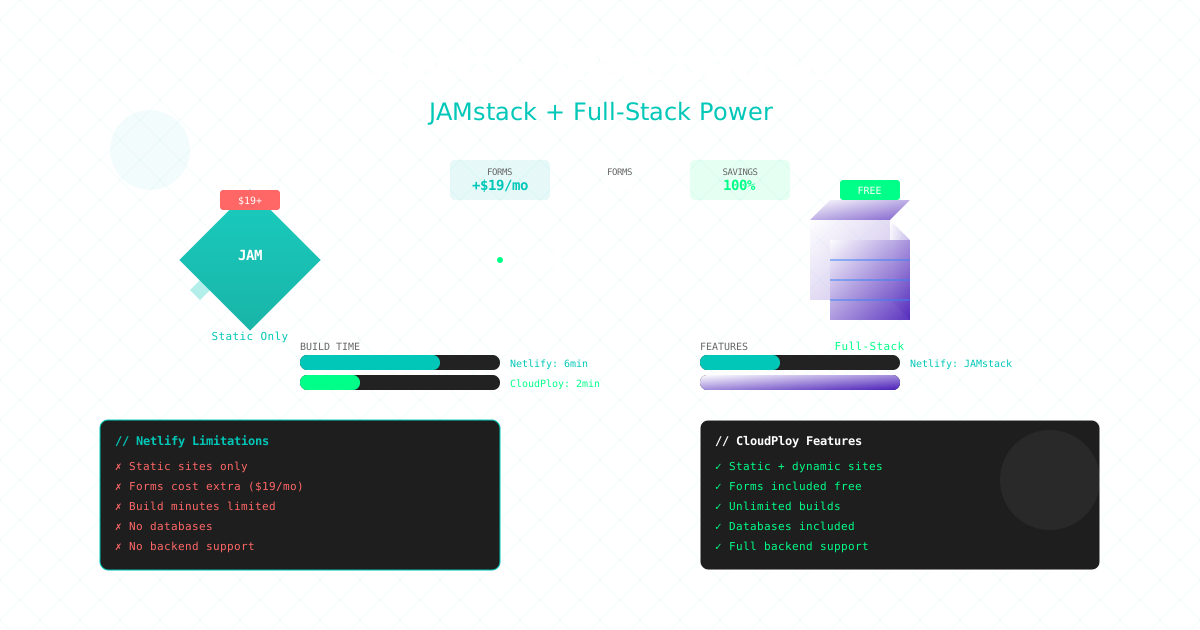
Netlify is built around Git-based static and JAMstack deploys. If your app needs a long-running server, CloudPloy deploys it to a server in your own AWS account with push-to-deploy.
Why Teams Look for Netlify Alternatives
- Predictable costs: a flat plan fee instead of usage-based bandwidth and build charges
- A real server: run your app on a server you control
- Docker-based deployments for more complex applications
- Your own infrastructure in your AWS account
Detailed Comparison: CloudPloy vs Netlify
Pricing
Netlify Pricing Structure:
- Starter: Free (limited features)
- Pro: $19/member/month
- Business: $99/member/month
- Enterprise: Custom pricing
- Bandwidth: $55/100GB after 100GB
- Build minutes: $7/500 minutes after 300
- Functions: $25/million requests after 125k
- Forms: $19/month for 1000 submissions
CloudPloy Pricing Structure:
- Free plan: $0, 1 server (up to 2 vCPU / 2 GB) and 1 app
- Starter $9.99/month (3 servers), Pro $19/month (10 servers), Scale $39/month (unlimited servers)
- Server compute is billed separately by AWS, in your own account
- 30-day money-back guarantee on new paid subscriptions
- See CloudPloy pricing for current plans
With CloudPloy your total is the plan fee plus the AWS compute for your server.
Deployment
Netlify:
- Git-triggered builds
- Static site generators focus
- Deploy previews
- Rollbacks
CloudPloy:
- Auto-deploy on git push from GitHub, GitLab, or Bitbucket
- Docker + Traefik on your server
- Deployment history and rollback
- Supported app types: Node.js, Next.js, Nuxt, Astro, Laravel, Symfony, Rails, WordPress
Static Sites
Netlify is a strong fit for static sites and JAMstack workflows. CloudPloy can deploy Astro and Next.js apps to your server, but it is a server-based platform, so a purely static site does not need it.
Backend Workloads
Netlify:
- Serverless functions
- No persistent servers
CloudPloy:
- Your app runs on a persistent server in your AWS account
- Environment variables and logs
- Up to 10 replicas of an app on its server on paid plans
- Auto-scaling and load balancing: coming soon
CDN and Domains
Netlify: Global CDN and asset optimization built in.
CloudPloy:
- Custom domains with automatic Let’s Encrypt SSL
- Optional Cloudflare in front of your domains (your own Cloudflare account; CloudPloy creates the DNS record)
Developer Experience
Netlify:
- Git integration
- Netlify CLI
- Deploy previews
CloudPloy:
- Git integration with push-to-deploy
- Manage apps from Claude Code, Cursor, or any MCP client
Use Cases
- Marketing sites and portfolios: Netlify’s free tier works well. CloudPloy’s free plan also covers one server and one app.
- Server-rendered apps (Next.js, Nuxt, Astro): CloudPloy runs them on your own server.
- Laravel, Symfony, Rails, or WordPress apps: CloudPloy supports these directly, which Netlify’s static hosting does not.
Moving from Netlify to CloudPloy
- Connect your AWS account (or a fresh server over SSH) and create a server.
- Connect your Git provider and select the repository.
- Copy your Netlify environment variables into CloudPloy.
- Deploy and enable auto-deploy.
- Add your custom domain, then update DNS.
Feature Comparison
| Feature | Netlify | CloudPloy |
|---|---|---|
| Git integration | Yes | Yes (GitHub, GitLab, Bitbucket) |
| Push-to-deploy | Yes | Yes |
| Custom domains | Yes | Yes |
| SSL certificates | Yes | Yes (Let’s Encrypt) |
| Rollbacks | Yes | Yes |
| Serverless functions | Yes | Not offered |
| Persistent servers | No | Yes, in your AWS account |
| Docker | No | Yes |
| Replicas | Not applicable | Up to 10 per app on paid plans |
| Auto-scaling | Not applicable | Coming soon |
| Price | Free; Pro $19+/member/month | Free; paid plans from $9.99/month + AWS compute |
Common Questions from Netlify Users
Is CloudPloy as easy as Netlify?
The workflow is similar: connect a repo, deploy, and push to redeploy. The difference is that the app runs on a server in your own AWS account.
Can I migrate my Netlify Functions?
CloudPloy does not offer serverless functions. You would run that logic as part of an app on your server.
Will my static site be as fast?
CloudPloy lets you put Cloudflare in front of your domains. Connect your own Cloudflare account and CloudPloy creates the DNS record.
The Verdict
Choose Netlify if:
- You only need static sites
- You are already invested in its ecosystem
Choose CloudPloy if:
- You want to run a server-based app in your own AWS account
- You prefer a flat plan fee plus your own compute
- You want to manage deployments from an MCP client
Pricing current as of publication date. Netlify is a trademark of Netlify, Inc. This comparison is for informational purposes.