
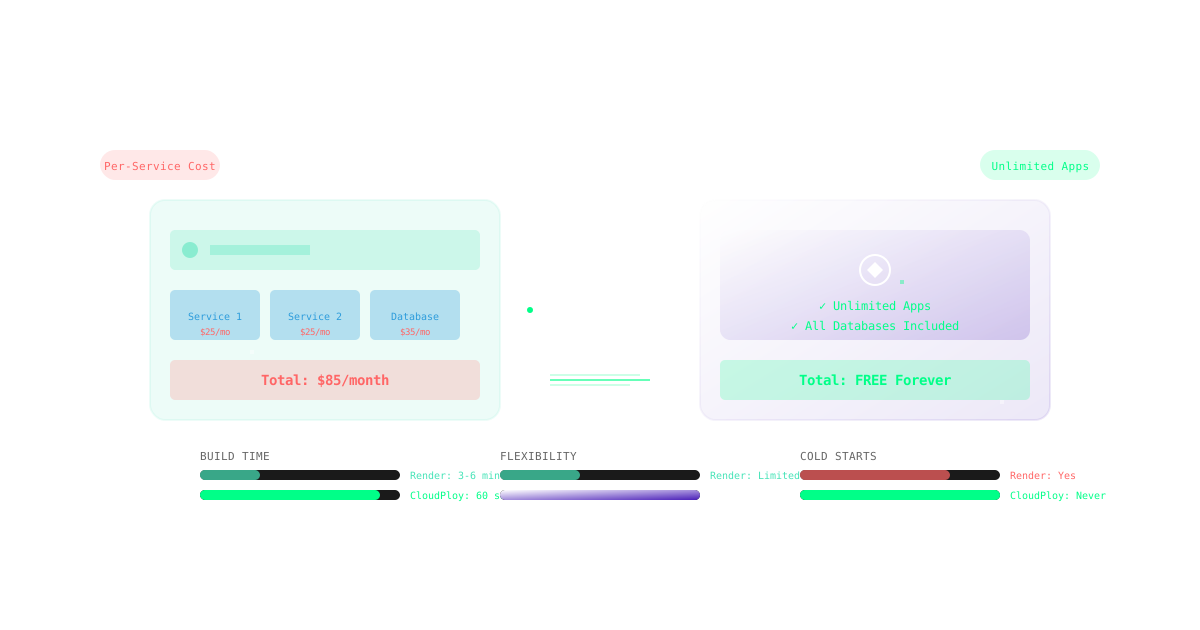
Render offers automatic builds and deploys on its own infrastructure. CloudPloy offers a similar Git-based flow, but deploys to a server in your own AWS account.
Why Teams Evaluate Render Alternatives
- Per-service pricing that adds up with several services
- Free instances that sleep after inactivity
- Wanting to bring their own server or use their own AWS account
Feature Comparison: CloudPloy vs Render
Pricing
Render Pricing Breakdown:
- Individuals: Free (limited, sleeps after inactivity)
- Starter: $7/month per service (512MB RAM)
- Standard: $25/month per service (2GB RAM)
- Performance: $85/month per service (4GB RAM)
- Performance Plus: $175/month per service (8GB RAM)
- PostgreSQL: Starts at $7/month (256MB RAM)
- Bandwidth: $0.10/GB after 100GB
CloudPloy Pricing Breakdown:
- Free plan: $0, 1 server (up to 2 vCPU / 2 GB) and 1 app
- Starter $9.99/month (3 servers), Pro $19/month (10 servers), Scale $39/month (unlimited servers)
- Server compute is billed separately by AWS, in your own account
- 30-day money-back guarantee on new paid subscriptions
- See CloudPloy pricing for current plans
Because several apps can run on one server, you pay the plan fee plus the compute for that server, rather than a price per service.
Deployment
Render:
- Git-based deployments
- Preview environments (Team plan)
- Web-based shell access
CloudPloy:
- Auto-deploy on git push from GitHub, GitLab, or Bitbucket
- Docker + Traefik on your server
- Deployment history and rollback
- Environment variables and logs
Infrastructure
Render:
- Oregon (US-West) primary region
- Frankfurt (EU) available
- Singapore (limited availability)
- Shared CPU on lower tiers
CloudPloy:
- A server in your own AWS account (EC2), or a fresh server you connect over SSH
- Up to 10 replicas of an app on its server on paid plans
- Optional Cloudflare in front of your domains (your own Cloudflare account; CloudPloy creates the DNS record)
Databases
Render: PostgreSQL (from $7/month), with Redis available separately.
CloudPloy: CloudPloy can set up PostgreSQL or MySQL on your app’s server, in Docker, when it deploys the app. It is not a separate managed database service.
Scaling
Render:
- Manual horizontal scaling
- Limited to Render infrastructure
CloudPloy:
- Up to 10 replicas of an app on its server on paid plans
- Auto-scaling and load balancing: coming soon
- Bring your own server
Moving from Render to CloudPloy
- Connect your AWS account (or a fresh server over SSH) and create a server.
- Connect your Git provider and select the repository.
- Copy your environment variables from Render.
- Deploy and enable auto-deploy.
- Move your database yourself, for example with
pg_dumpand a restore on your server. - Add your custom domain and update DNS. CloudPloy provisions SSL automatically.
Use Cases
- Several small apps: run them on one server and pay one plan fee plus that server’s compute.
- WordPress and PHP: WordPress, Laravel, and Symfony are supported app types.
- Node.js frameworks: Node.js, Next.js, Nuxt, and Astro are supported, as is Rails.
Frequently Asked Questions
Is CloudPloy suitable for production workloads?
It runs your apps on EC2 in your own AWS account, so reliability depends largely on the server you choose and how you configure it. CloudPloy handles deploys, SSL, domains, logs, and rollbacks.
What about Render’s free tier?
CloudPloy’s Free plan covers 1 server (up to 2 vCPU / 2 GB) and 1 app. Compute on your cloud account is billed by AWS.
Can I migrate without downtime?
Deploy and test on CloudPloy first, then switch DNS when you are ready.
Does CloudPloy support all Render features?
No. CloudPloy can set up PostgreSQL or MySQL on your server, but it has no separate managed database service or add-on marketplace.
Conclusion
CloudPloy fits teams who want Git-based deploys on their own AWS account with a flat plan fee. New paid subscriptions have a 30-day money-back guarantee.
Pricing current as of publication date. Render is a registered trademark of Render Services, Inc. Comparison based on publicly available information.